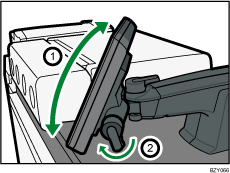
Adjusting the Angle of the Control Panel
Use the following procedures to adjust the angle of the control panel for easier use.
 Turn the handle counterclockwise to unlock the horizontal joint securing the control panel.
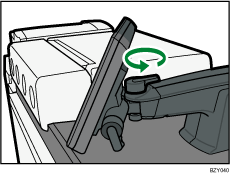
 Position the control panel at the horizontal angle that you require. Turn the handle clockwise to lock the joint.
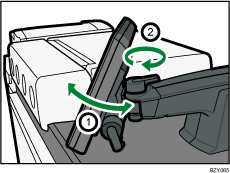
 Turn the handle counterclockwise to unlock the vertical joint securing the control panel.
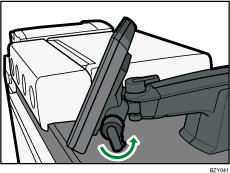
 Position the control panel at the vertical angle that you require. Turn the handle clockwise to lock the joint.