












 Manuals
 Contents
 Previous
 Next
Next


| | | |
| |||
| |||
| | | |
| ManualsContentsPreviousNext | | |
Specify the distance of the cut from the fore edge.
Press [Cut Fore Edge].
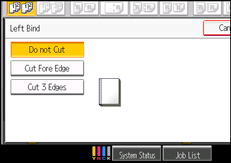
Make sure that [Specify Cut Size] is selected.
Enter the cut length using the number keys, and then press [ ].
].
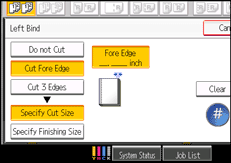
To change the value you entered, press [Clear] and then enter a new value.
Press [OK] twice.

You can adjust the position of the fore edge cut from 6 to 50 mm (0.24 to 1.96 inches) in 0.1 mm (0.01 inch) increments.
 |
 | Copyright (C) 2010 |
