












 Manuals
 Contents
 Previous
 Next
Next


| | | |
| |||
| |||
| | | |
| ManualsContentsPreviousNext | | |
Makes two parallel folds, one of which faces in and the other facing out.
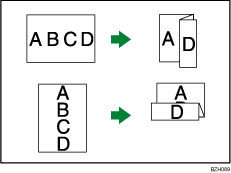

You cannot use Punch with this function.
Original orientation and Z-fold position
Place all the originals in the ADF in the orientation in which they can be read normally. When placing the original on the exposure glass, keep the same orientation, but set the original facing downwards.
The relationship between the orientation in which you place the original and the Z-fold positions is as follows:
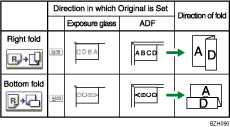
*1 The above table shows Z-fold positions. The orientation of the paper does not indicate orientation of delivery.
Select the folding direction.
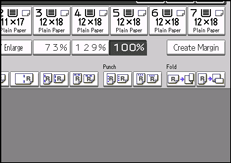
Place the originals, and then press the [Start] key.

You can specify the fold-back position in 1 mm (0.1 inch) increments under Z-fold Position in User Tools.
For details about which sizes and weights of paper that can be Z- folded, and the number of Z-folded copies that can be stacked on the finisher trays, see "Specifications for Finisher SR5000" or "Specifications for Booklet Finisher SR5020", About This Machine.
 |
 | Copyright (C) 2010 |
