












 Manuals
 Contents
 Previous
 Next
Next


| | | |
| |||
| |||
| | | |
| ManualsContentsPreviousNext | | |
This function allows you to reduce or enlarge images by selecting a preset ratio.
You can register up to three frequently used reproduction ratios other than the preset reduce/enlarge ratios.
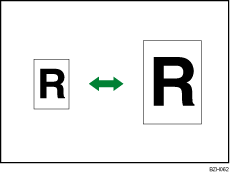
You can select one of eight preset ratios (four enlargement ratios, four reduction ratios).
Enlargement ratios: 141.4%, 200.0%, 282.8%, 400.0%
Reduction ratios: 25.0%, 35.4%, 50.0%, 70.7%
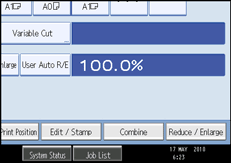
Press [Reduce / Enlarge].
Select a ratio, and then press [OK].
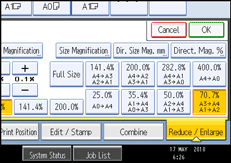
The selected ratio appears on the display.

Select one of the preset ratios based on the original size and paper size.
You can store up to three ratios of your own for frequently used ratio, but are not preset. The ratios can be set in 0.1% increments. See “Reproduction Ratio”.
For details about the relationship between the original and paper sizes for preset ratios, see “Magnification Ratio Chart”.
You can select a ratio regardless of original or paper size, or paper cut method. With certain ratios, parts of the image might not be copied or margins will appear.
 |
 | Copyright (C) 2010 |

