




Loading Paper into Bypass Tray
Follow the procedure below to load paper into bypass tray.
A4/Letter size paper is loaded here.
 Pull out the bypass tray extension and adjust the position of the paper guide to match the size of the paper you want to load.
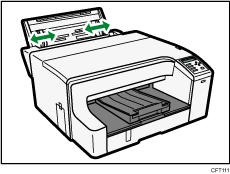
Press the lever on the side of the paper guide while moving the guide.
Adjust the position of the paper guide before loading paper.
 Load paper with the print side face up but not over the limit mark.
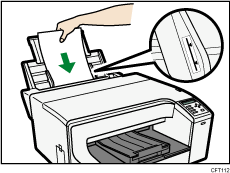

Extend the bypass tray so that it matches the paper size.

