












 Contents
 Previous
 Next
Next


| | | |
| |||
| |||
| | | |
| ContentsPreviousNext | | |
Follow the procedure below to remove paper jammed in tray 2/tray 3.
Hold the grip on tray 2/tray 3, lift the tray slightly ( ), and then pull it out (
 ).
).
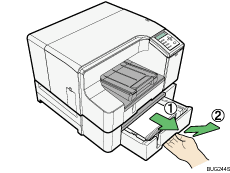
Pull tray 2/tray 3 completely out. Take care not to drop it.
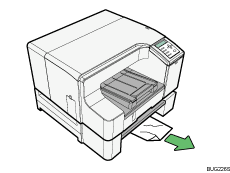
Remove jammed paper.
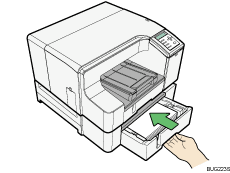
Push tray 2/tray 3 gently in until it stops.
Press the [Form Feed] key.
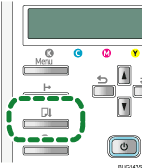
Printing starts.
Blank paper may be delivered after printing resumes.

 |
 | Copyright (C) 2009 |
