




Making 2-sided copies automatically
You can make 2-sided copies by copying single-sided documents onto the front and back sides of each sheet.

Automatic duplex copying is available with the Type 2 model only.
This function is only available when the original is set in the ADF, not when it is set on the exposure glass.
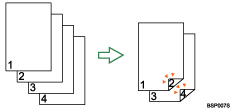
Change the machine's default setting to apply 2-sided copying.
Preparation for making 2-sided copies
Configure the [Duplex Copy] setting under copy settings.
For details, see Making 2-sided Copies Automatically (Type 2 model)
 .
.

You can make 2-sided copies manually with the Type 1 model.

For details about how to make 2-sided copies using the Type 1 model, see Making 2-sided Copies Manually (Type 1 model)
.

