












 Manuals
 Contents
 Previous
 Next
Next


| | | |
| |||
| |||
| | | |
| ManualsContentsPreviousNext | | |
This section describes what to do Z-folded prints are not properly aligned.
Press the [Suspend/Resume] key.
The key lights up.
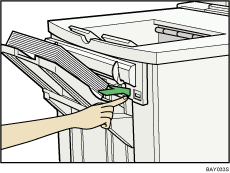
Remove the prints.
Set the auxiliary tray for the finisher shift tray.
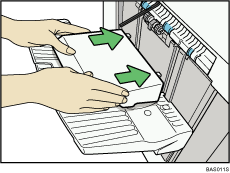
 |
 | Copyright (C) 2008, 2009 |
