












 Manuals
 Contents
 Previous
 Next
Next


| | | |
| |||
| |||
| | | |
| ManualsContentsPreviousNext | | |
This section describes indicators that appear on the display panel.
Display Panel Indicator
Indicator |
Status |
|---|---|
|
Appears when a misfeed occurs. For details, see Removing Jammed Paper. |
|
Appears when paper runs out. For details, see Loading Paper. |
|
Appears when toner runs out. For details, see Adding Toner. |
|
Appears when staples run out. For details, see Adding Staples. |
|
Appears when fusing oil runs out. For details, see Adding the Fusing Oil. |
|
Appears when the waste toner bottle is full. Contact your service representative. |
|
Appears when the hole punch receptacle is full. For details, see Removing Punch and Staple Waste. |
|
Appears when the waste staple receptacle is full. For details, see Removing Punch and Staple Waste. |
|
Appears when the machine is malfunctioning or requires maintenance. |
|
Appears when one or more covers of the machine is open. |
Status Indicator
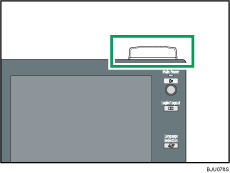
Indicator |
Status |
|---|---|
Off |
The operation switch is turned off. Prints can still be made. |
Flashing red |
Toner has nearly run out. For details, see Adding Toner. |
Lit red |
A paper jam or some other malfunction has occurred. For details, see Removing Jammed Paper. |
 |
 | Copyright (C) 2008, 2009 |
 : Misfeed indicator
 : Load Paper indicator
 : Add Toner indicator
 : Add Staple indicator
 : Add Fusing Oil indicator
 : Waste Toner Full indicator
 : Empty Hole Punch Receptacle indicator
 : Empty Waste Staple Receptacle indicator
 : Service Call indicator
 : Open Cover indicator
