If the Paper Fed to the Output Tray Is Still Not Aligned
If Z-folded sheets are not output in proper alignment even when the Z-fold support tray for the Folding Unit (Large) is attached, attach the Z-fold support tray for the Folding Unit (Small) as well.
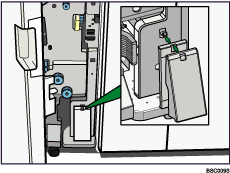
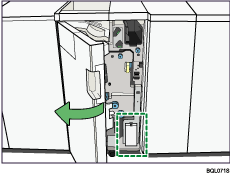
 Open the front cover of the Folding Unit and remove both Z-fold support trays (located at the bottom of the Folding Unit).
 Insert the projecting part of the small Z-fold support tray into the rectangular hole of the large Z-fold support tray.
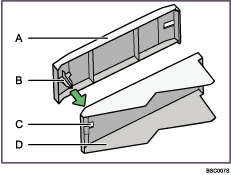
A) Z-fold support tray for the Folding Unit (Small)
B) Projecting part
C) Rectangular hole
D) Z-fold support tray for the Folding Unit (Large)
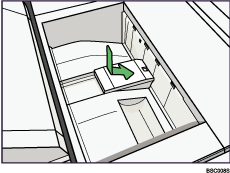
 Position both Z-fold support trays flush against the end fence in the slope of the Folding Unit Tray.

When you have finished with the Z-fold support trays, open the front cover of the Folding Unit and hang them back up on the stowage hook.
Be sure to put the Z-fold support tray for the Folding Unit (Small) on the hook first.