




Loading Paper into the Wide Tray Unit
This section describes how to load paper into the optional wide tray unit.

To use the optional wide tray unit, you must replace Tray 1.
The optional wide tray unit uses only 11 × 17
 paper. If you want to load A3, A4
 , B4 JIS (Japanese Industrial Standard), 81/2 × 14, or 81/2 × 11, contact your service representative.
Check the paper edges are aligned at the right side.
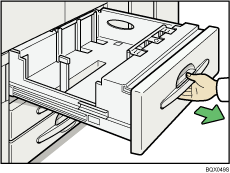
 Carefully pull out the paper tray until it stops.
 Square the paper and load it print side down.
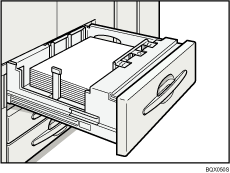
 Carefully push the paper tray fully in.

The tray can hold up to 1,100 sheets.

