












 Manuals
 Contents
 Previous
 Next
Next


| | | |
| |||
| |||
| | | |
| ManualsContentsPreviousNext | | |
Clean off toner that may have collected on the imaging area.

Do not leave the main unit more than 10 minutes, otherwise copy quality may deteriorate.
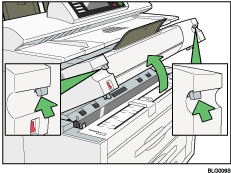
Lift the imaging unit release levers on either side and open the imaging unit.
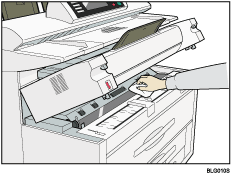
Wipe it with a soft, dry cloth.
While holding both ends of the imaging unit, lower it gently until it is fully closed.
 |
 | Copyright (C) 2008 |
