












 Manuals
 Contents
 Previous
 Next
Next


| | | |
| |||
| |||
| | | |
| ManualsContentsPreviousNext | | |
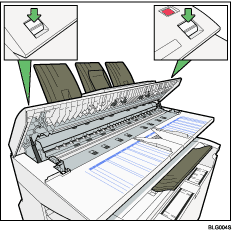
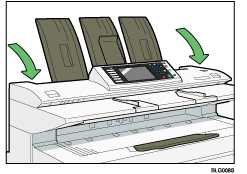
If you open the scanner cover, you can access the exposure glass and original feed mechanism.
While holding both ends of the scanner cover, press the release levers, and then open the cover by pulling it up.
Wipe the scanning glass with soft, dry cloth.
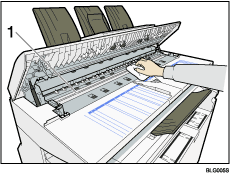
 scanning glass
Wipe the white strip with a soft, dry cloth.
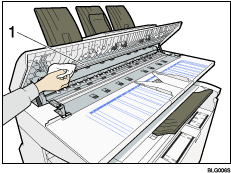
white strip
Wipe the original feed guides with a soft, dry cloth.
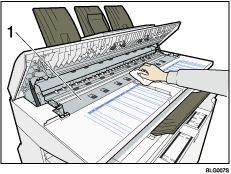
original feed guides
Close the scanner cover with both hands gently.

If there is paper dust or fluff inside, remove it.
 |
 | Copyright (C) 2008 |
