












 Manuals
 Contents
 Previous
 Next
Next


| | | |
| |||
| |||
| | | |
| ManualsContentsPreviousNext | | |
Erases the edge margins of the original image.
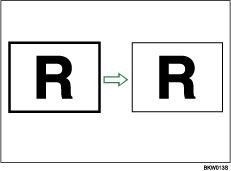
The default erase border setting is 10 mm (0.4").

You cannot use the bypass tray with this function.
Press [Edit / Stamp].
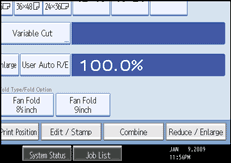
Press [Erase].
Press [Erase Border].
Press [Different Width].
Press the key for the border you want to change and set an erase width with [ ] and [
 ].
].
Pressing [] or [] changes the width in increments of 1 mm (0.1 inch).
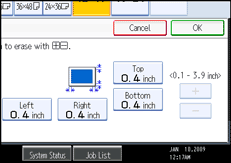
Press [OK] twice.

To change the value entered in step 5, press [] and [] to set a new value.
For details about the scan size limitations when using Erase Border together with the other functions, see Scan Size Limitations, by Function.
 |
 | Copyright (C) 2008 |
