












 Manuals
 Contents
 Previous
 Next
Next


| | | |
| |||
| |||
| | | |
| ManualsContentsPreviousNext | | |
The machine assembles copies as sets in sequential order.

To use the Rotate Sort function, two paper trays loaded with paper of the same size and type, but in different orientation (
 ), are required.
You cannot use the bypass tray with Rotate Sort.
Sort
Copies are assembled as sets in sequential order.
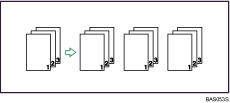
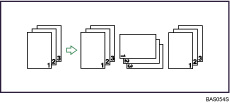
Rotate Sort
Every other copy set is rotated by 90 degrees () and delivered to the copy tray.
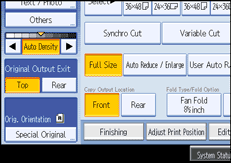
Make necessary settings.
Press [Finishing].
Press [Sort].
Select [Sort] or [Rotate Sort].
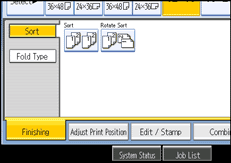
Press [OK].
Enter the number of copy sets using the number keys.
Place your original, and let it be scanned.
Press the [ ] key after all the originals have been scanned.
The machine starts copying.

To use Sample Copy, select [Press Start Key] under [Feed Start Method] in System Settings. You cannot make sample copy when [Auto] is selected.
To confirm the type of finishing, press the [Sample Copy] key in step 7.
To cancel Sort or Rotate Sort, press [Clear].
Special size paper cannot be used with Rotate Sort.
 |
 | Copyright (C) 2008 |

