




Enabling IEEE802.1X Authentication
Follow this procedure to enable IEEE802.1X Authentication.

To use IEEE802.1X Authentication, connect this machine to an authentication enabled port. If you do not, the authentication will fail.
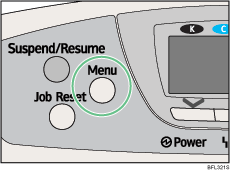
 Press the [Menu] key.
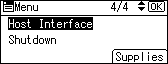
 Press the [
 ] or [
 ] key to select [Host Interface], and then press the [OK] key.
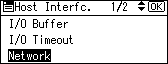
 Press the [] or [] key to select [Network], and then press the [OK] key.
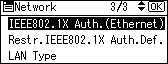
 Press the [] or [] key to select [IEEE802.1X Auth.(Ethernet)], and then press the [OK] key.
 Press the [] or [] key to select [Active], and then press the [OK] key.
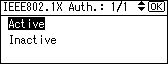
 Press the [Menu] key to return to the initial screen.
 Print a configuration page to confirm the settings.

For details about printing the configuration page, see "Test Printing", Quick Installation Guide.

