












 Manuals
 Contents
 Previous
 Next
Next


| | | |
| |||
| |||
| | | |
| ManualsContentsPreviousNext | | |

Do not subject the optional cards from physical shocks.
Using the upper slot is recommended for inserting the cards.
Do not touch the optional cards while the printer is in use. It may come loose, even if pushed only slightly.
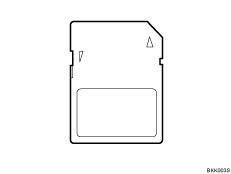
Check the package contains the following:
Turn off the power, and then unplug the power cable.
Remove the screw and the cover of the card slot at the back of the printer.
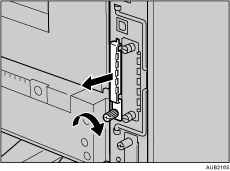
Be sure to keep a screw removed during installation.
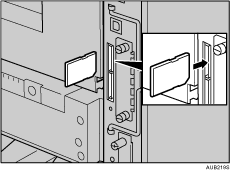
Carefully insert the optional card into the upper slot, until the card clicks into the place.
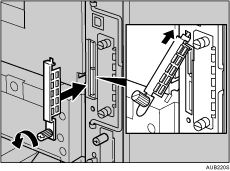
Reattach the cover over the optional card. Fasten the screw to secure the cover.
 |
 | Copyright (C) 2008 |
