




Replacing the Transfer Roller

Do not insert the roller on the back of the socket. Doing so can damage the printer.
Insert the metallic part of the roller on the socket. If you insert the sponge part of the roller, the roller might be damaged.
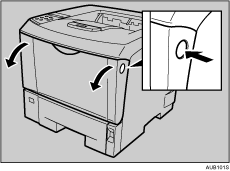
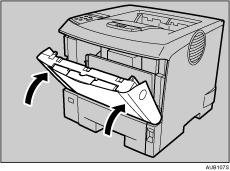
 Open the front cover by pushing the front cover release button.
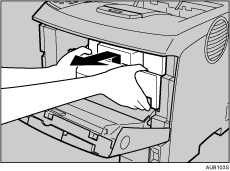
 Pull the toner cartridge out of the printer, while raising the front side.
 To avoid dirtying your hands with toner from the transfer roller, wear the gloves included in the Maintenance Kit.
 Hold the lock levers, and then pull them.
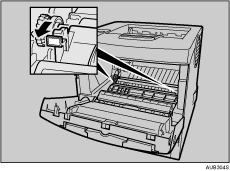
 Hold the green parts of the roller on both sides, and remove the roller from the printer, as shown in the illustration.
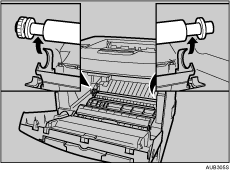
 Insert the new transfer roller on the socket with the gear of the roller positioned to the left.
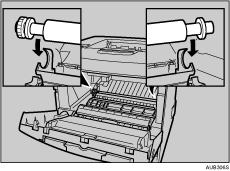
 Push down the lock levers on both ends of the printer as shown in the illustration, until they click into place.
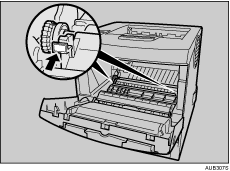
 Take the gloves off.
 Hold the grips of the toner cartridge, push it into the printer until it stops.
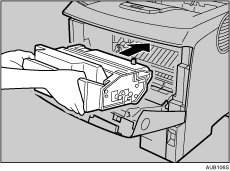
 Push down the toner cartridge to settle it in appropriate position.
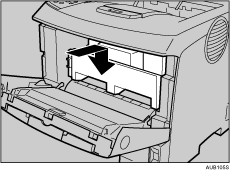
 Close the front cover.

Be sure to place the used cartridge on the level place.
When the transfer roller is set, the transfer roller cover will return to its original position automatically.

