




Attaching Envelope Feeder Type 400

Do not slide more than plural paper tray out at once. Having plural full paper trays fully extended could cause the machine to topple.
The tray of the upper optional paper feed unit (Tray 2) is beneath the standard paper tray (Tray 1).
Your printer can accommodate two optional paper feed units. The envelope feeder unit can be used in "Tray 2" and "Tray 3". The main unit's feed tray (Tray 1) cannot be used for this purpose.
The following explanation uses the example of installing the envelope feeder unit in "Tray 2".
 Check the package contains the following:
Envelope Feeder
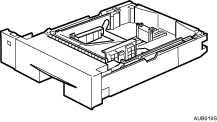
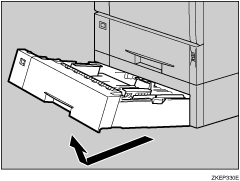
 Pull out the optional paper tray (Tray 2) of the optional paper feed unit until it stops. After that, lift it slightly, and then pull it out.
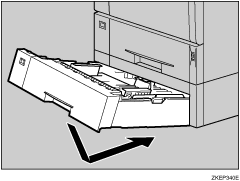
 Lift the front of the envelope feeder, and slide it carefully into the paper feed until it stops.

This unit is a tray that slides into the optional paper feed unit. Without the optional paper feed unit, this Envelope Feeder cannot be used.
Keep the removed paper tray with paper in a cool dark place.


