


Paper Misfeeding (Main Tray)
Cause:
Poor quality paper is being used, causing the surface of the paper roller to slip, resulting in a paper jam.
Solution:
To prevent such a problem, each paper tray is attached with a device for adjusting the separation pressure of the reverse roller.
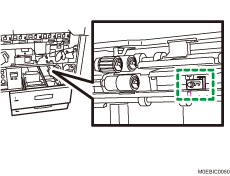
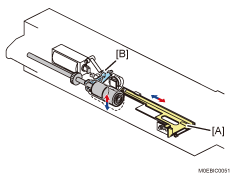
By moving the adjusting plate [A], you can change the spring force, allowing the force exerted by the arm [B] supporting the separation roller to be adjusted.
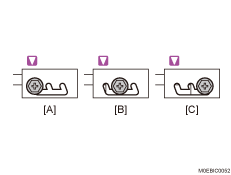
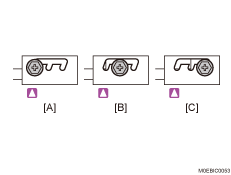
You can make adjustments in three levels as shown below.
[A]: Standard (Default)
[B]: Middle
[C]: Strong
Main Tray 1
Main Tray 2

Increasing the separation pressure can resolve paper jams, but doing so is likely to cause double-feeding.