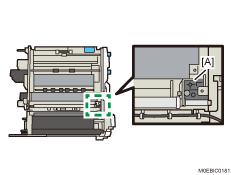
Cleaning the Double-Feed Sensor

For details on cleaning, see "155 Right Drawer: Paper Path 1".
 Release the lock lever of the paper transport unit and pull the paper transport unit out.
 Remove the top cover [A].
You can remove the top cover by lifting it while pressing the tab on the front.
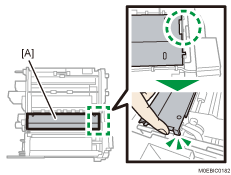
 Clean the double-feed sensor [A] with a blower brush.