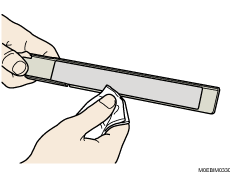
Cleaning Contact Image Sensor Back Plate

For details on cleaning, see "160 Right Drawer: CIS".
 Push the upper part of the inner cover to the left, and pull the cover toward you to remove it.
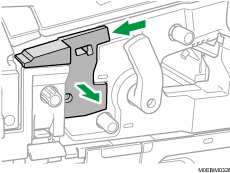
 Pull Contact Image Sensor Back Plate out of the machine.
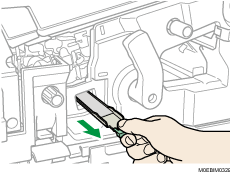
 Using the optical cleaning cloth, wipe the paper dust off Contact Image Sensor Back Plate.