Cleaning the CIS Glass

For details on cleaning, see "160 Right Drawer: CIS".
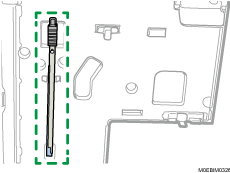
 Remove the cleaning brush on the backside of the right front cover.
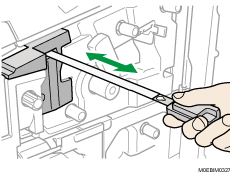
 Insert the cleaning brush until it stops in the hole on the inner cover, and then pull the brush toward you. Repeat this action three times.