


Cleaning around the Photoconductor

For details on cleaning, see "73 Development Unit (Black): Case/74 Development Unit (Cyan, Magenta, Yellow): Case/75 Development Unit (Special): Case" and "76 Development Unit (Black): Cooling Sheet/77 Development Unit (Cyan, Magenta, Yellow): Cooling Sheet/Development Unit (Special): Cooling Sheet".
 Pull out the PCDU until it stops.
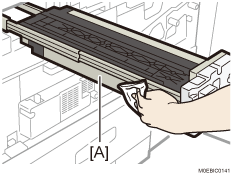
 Wipe the cooling sheet [A] with a dry cloth or a cloth dampened with water and wrung well.
The figure below shows an example of waste.
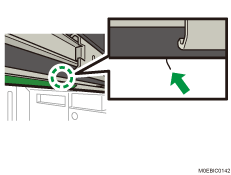
 Separate the development unit from other units.
 Scrape toner from the development unit case [A] with a dry cloth.
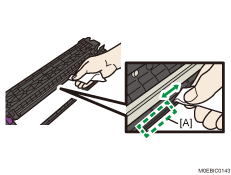
 Clean the toner adhering around the development unit with a dry cloth.