


White Spots/Toner Blasting
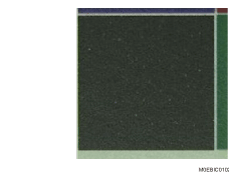
White Spots
White spots of 0.2 - 0.3 mm in diameter appear.
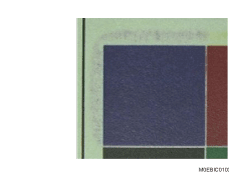
Toner Blasting
Toner is scattered around a solid-fill print.
Cause:
This is due to electrical discharge in the paper transfer unit.
Paper dust on the guide board and transfer timing roller may stick to the paper and produce white spots.
This is prone to occur when printing is performed in a low-temperature, low-humidity environment or on recycled paper, cut paper, or high-friction coated paper, which produces a lot of paper dust.
Solution:
 If the paper is not registered as custom paper, register the brand of the paper.
 If the problem occurs only on Side 2 of the paper, go to Step 5.
If not, go to the next step.
 In [Detailed settings] for custom paper, adjust the paper transfer output in 1214: [Paper Transfer Output].
1214-01: Paper Transfer Output: BW: Side 1
1214-05: Paper Transfer Output: FC/FCS: Side 1
1214-09: Paper Transfer Output: FCS: Side 1
1214-13: Paper Transfer Output: S: Side 1: Clear/Special
1214-14: Paper Transfer Output: S: Side 1: White
1214-15: Paper Transfer Output: S: Side 1: Metallic

In the case of toner blasting, increase the value by 2 steps.
In the case of white spots, decrease the value by 2 steps.
 Print the image. Has the problem been resolved?
Yes | If the problem occurs only on Side 1, this procedure is complete. If the problem also occurs on Side 2, go to Step 5 to resolve the problem on Side 2. |
No | Start over from Step 3. |
In the case of toner blasting, if the problem persists even after increasing the value to the upper limit, there is no other solution.
In the case of white spots, if the problem persists even after decreasing the value to the lower limit, there is no other solution.
 In [Detailed settings] for custom paper, adjust the paper transfer output in 1214: [Paper Transfer Output].
1214-02: Paper Transfer Output: BW: Side 2
1214-06: Paper Transfer Output: FC/FCS: Side 2
1214-10: Paper Transfer Output: FCS: Side 2
1214-17: Paper Transfer Output: S: Side 2: Clear/Special
1214-18: Paper Transfer Output: S: Side 2: White
1214-19: Paper Transfer Output: S: Side 2: Metallic
 As with Side 1, increase the value by two steps in the case of toner blasting or decrease the value by 2 steps in the case of white spots.
 Print the image. Has the problem been resolved?
Yes | Finished! |
No | Start over from Step 6. |
In the case of toner blasting, if the problem persists even after increasing the value to the upper limit, there is no other solution.
In the case of white spots, if the problem persists even after decreasing the value to the lower limit, there is no other solution.
Select "Clear/Special" when using Neon Yellow, Neon Pink, or Invisible Red. Select "Metallic" when using Gold or Silver.