


Images Stretching (Margin Narrow at the Trailing Edge of the Paper)
The margin at the trailing edge of the paper becomes narrow or disappears.
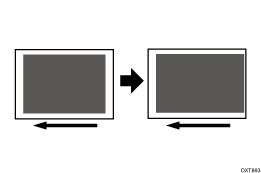
Cause:
The fusing speed is too high for the transfer speed, causing the image to stretch and the margin at the trailing edge of the paper to become narrow.
Solution:
 In the [Machine: Maintenance] group on the [Operator Adjust.] menu, execute 0512: [Fuser Unit Speed Adjustment].
 Print the image. Has the problem been resolved?
Yes | Finished! |
No | No further improvement is likely. Contact your service representative. |