


Uneven Density: Mixed-color Images
Areas of uneven density occur in images with multiple colors.
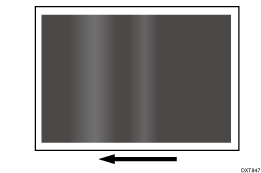
Cause:
When the temperature of the environment is low, such as on a wintery morning, the resistance of the paper transfer bias roller increases, resulting in insufficient transfer current in the paper transfer unit, causing a paper transfer failure.
Solution:
Turn the printer on about 1 hour before printing.
Raise the temperature.
Set the machine's anti-condensation heater switch to "ON".
If the problem persists, there is no other solution. Contact your service representative.