


The Areas around the Images Using the Special Toner (clear) Blur
Blurring occurs around a clear image.
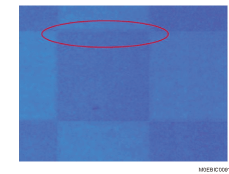
Cause:
A slight gap is created near the areas with uneven density between the images using the special toner (clear) and those using the color toner, preventing the reverse transfer of images using the color toner, resulting in slightly thicker images using color toner around the images using the special toner (clear).
Occurrence conditions:
Printing in a high temperature and humidity environment.
Solution:
 If the paper is not registered as custom paper, register the brand of the paper.
 In [Detailed settings] for the custom paper you are using, select 1212: [Image Transfer Output], and then decrease the value in [Black] of [FC/FCS] by 1.

Reducing the [Black] value may reduce the black density.
 Print the image. Has the problem been resolved?
Yes | Finished! |
No | Start over from Step 2. If the problem persists even after decreasing the value to "-10", there is no other solution. Select the best sample printout and print under that condition. |