


When a Deviation in Color Registration Appears
Misregistration of colors may occur when you move the machine, or while you perform printing operations repeatedly. When this occurs, execute [Color Registration] to adjust the related settings of the machine. The adjustment process takes approximately 30 seconds.
 Press the [Printer Adjustment] hub
  02 | [Machine: Image Quality] 0201:[Execute Image Quality Adjustment] 03:[Color Registration].
On the item with  displayed to its left, click to display its subordinate items.
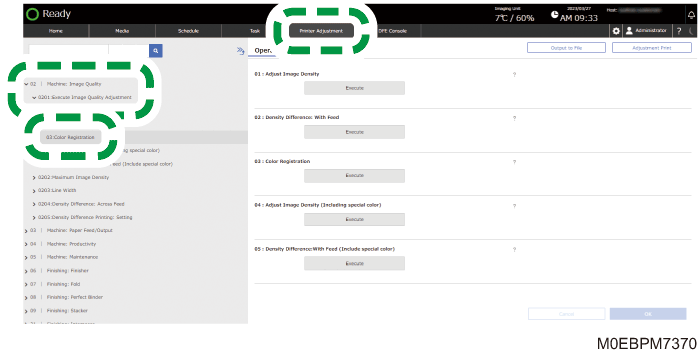
 Press [Execute] under 03: "Color Registration".
 Press [OK] when "Executed" appears.