


Creating a Group to Manage Paper
You can manage custom paper by assigning the paper to groups.
Creating a Group
 Press the [Media] hub
  [Add Group].
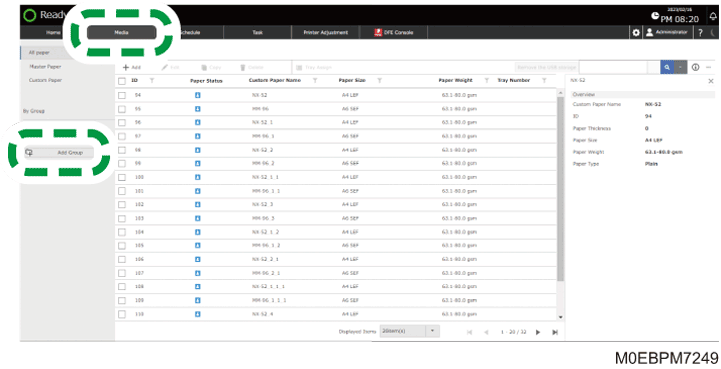
 Enter the Name of the Group, and then press [OK].
The Group is registered.

To add a sub-group to a group, specify the group, and then press [Add Paper to Group].
Registering a Custom Paper to a Group
Register a registered Custom Paper to a group.
Press [Media] hub Group to register the paper [Add Paper to Group].
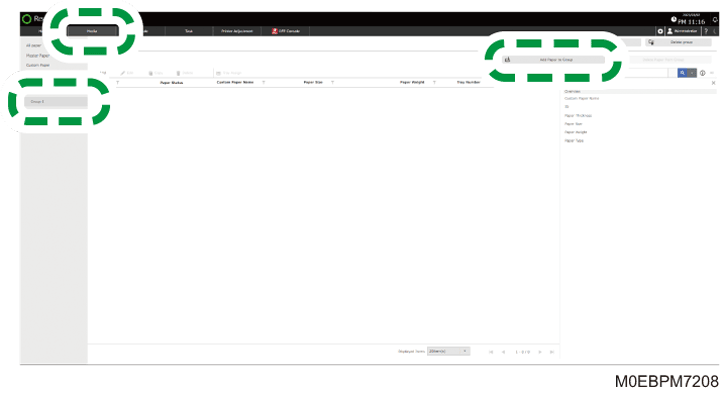
Select the check box of the paper to add, and press [OK].
You can register new paper to a group.
To delete paper in a group, select the check box of the paper, and then press [Delete Paper from Group]. Even when you delete a paper from a group, it remains in [Custom Paper].
Deleting a Group
Press the [Media] hub Group to delete [Delete group].
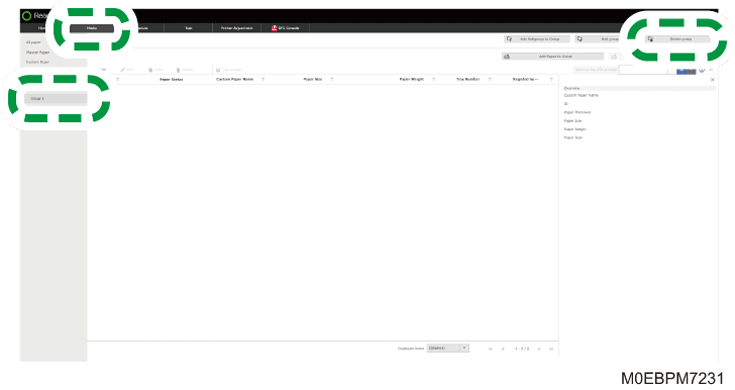
Press [OK].