


Changing the Duration to Wait Before Entering Sleep Mode
If you do not operate the machine for a specified period of time or  (Energy Saver Key) is pressed, the machine enters Sleep mode to reduce energy consumption.
In the factory default setting, the time to wait before entering Sleep mode is set to 60 minutes. You can change the setting to any number up to 240 minutes depending on the machine usage.
 Press [
 ] on the Home screen.
 Press [Printer Settings]
 [Energy Saver Settings] to display the setting screen.
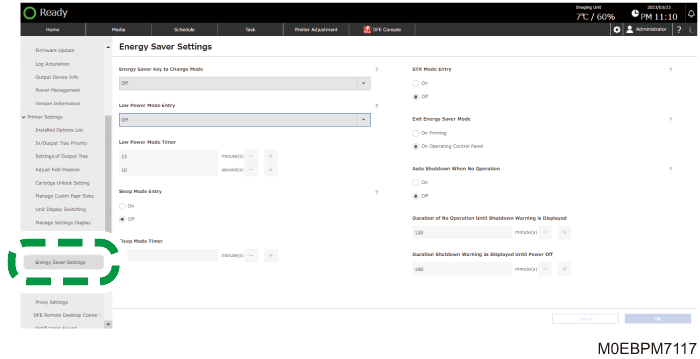
 Specify [On] in [Sleep Mode Entry].
 In [Sleep Mode Timer], specify the duration to wait before the machine enters the Sleep Mode.
You can enter 1 to 240 (1-minute increments).
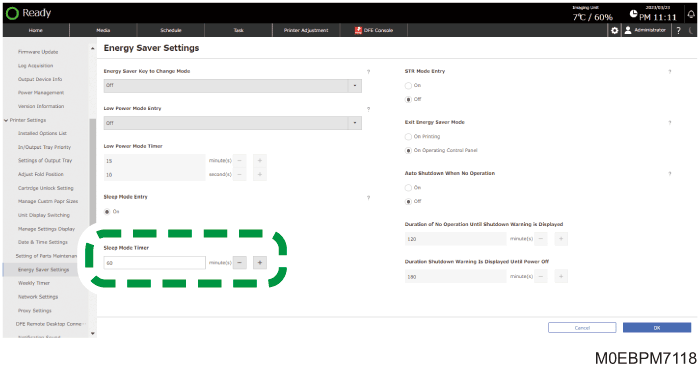
 Press [OK].