Deleting an Unnecessary Job from the Print Queue
Operate the [Job list] tile on the [Home] hub.
 Press the [Home] hub.
 On the [Job list] tile, specify a job to delete, and then press [Delete].
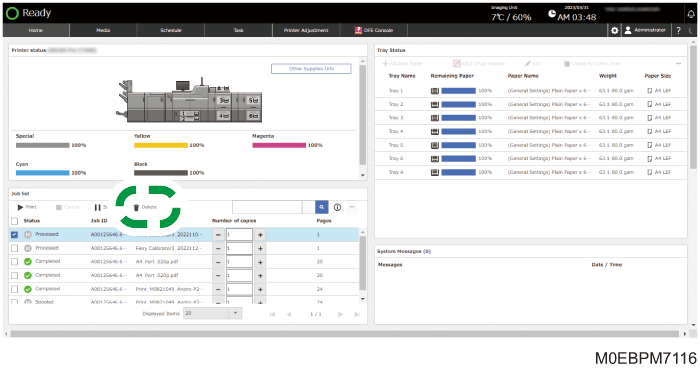
A confirmation message appears.
 Press [OK].


 User GuidePro C7500/C7500H
Operate the [Job list] tile on the [Home] hub.
Press the [Home] hub.
On the [Job list] tile, specify a job to delete, and then press [Delete].
A confirmation message appears.
Press [OK].