When the Hole Punch Receptacle Is Full
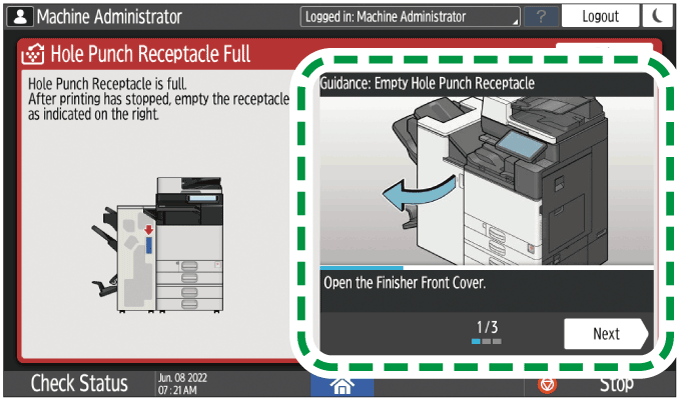
Empty the hole punch receptacle by following the procedure described in the animated illustration displayed on the control panel.
-
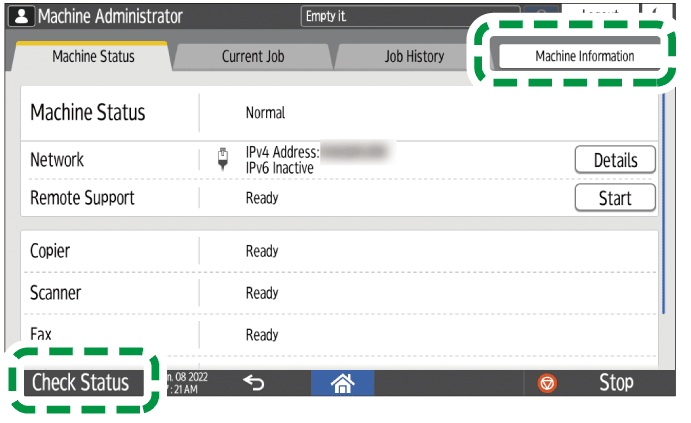
Press [Check Status]
 [Machine Information].
-
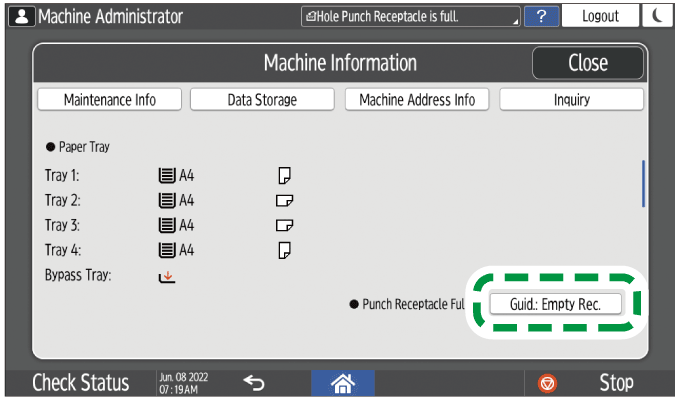
Press [Guid.: Empty Rec.] under "Punch Receptacle Full".
-
Follow the procedure described in the animated illustration, and empty the hole punch receptacle.

-
If the message remains even after you empty the receptacle, remove the receptacle and set it again.