Folding Printed Sheets
The machine can fold printed sheets. The fold function helps you to make booklets or brochures.
You can select Half Fold, Letter Fold-out, Letter Fold-in, or Z-fold.
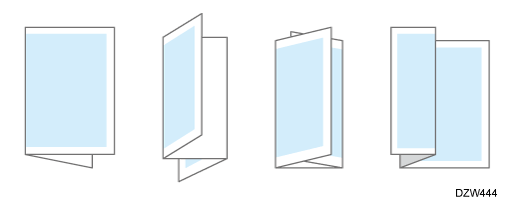

-
An optional unit such as the internal multi-fold unit or finisher is required to use this function.
Functions Requiring Optional Configurations

-
The types of fold and supported paper size differs depending on the optional equipment attached to the machine.
List of Specifications -
When specifying the paper tray in the printer driver and folding the printed sheets, check that the paper tray to use is set to [Machine Setting(s)] in the [Tray/Paper Settings]
 [Printer] [Tray Setting Priority]. If the paper tray is set to [Driver / Command], the folding or printing will be canceled.
Tray/Paper Settings
Specify the settings on the [Finishing] tab.
-
Open a document to print on the computer, and display the setting screen of the printer driver from the print menu in the application.
-
Specify Paper Size, Paper Type, Orientation of the document, and other settings.
Basic Procedure for Printing Documents -
On the [Finishing] tab, click [Fold:] to select the type of fold and print side.
Multi-sheet Fold (Maximum 3 Sheets):Specify whether to fold multiple sheets at one time. You can specify this function when selecting [Letter Fold-in] or [Letter Fold-out] for [Fold:]. -
After completing the configuration, click [OK] to print.
Specify the settings on [Finishing] on "Feature Sets" of [Printer Features].
-
Open a document to print on the computer, and display the setting screen of the printer driver from the print menu in the application.
-
Specify Paper Size, Orientation, Paper Type, and other settings.
Basic Procedure for Printing Documents -
On [Finishing] of "Feature Sets", specify the type of fold and print side.
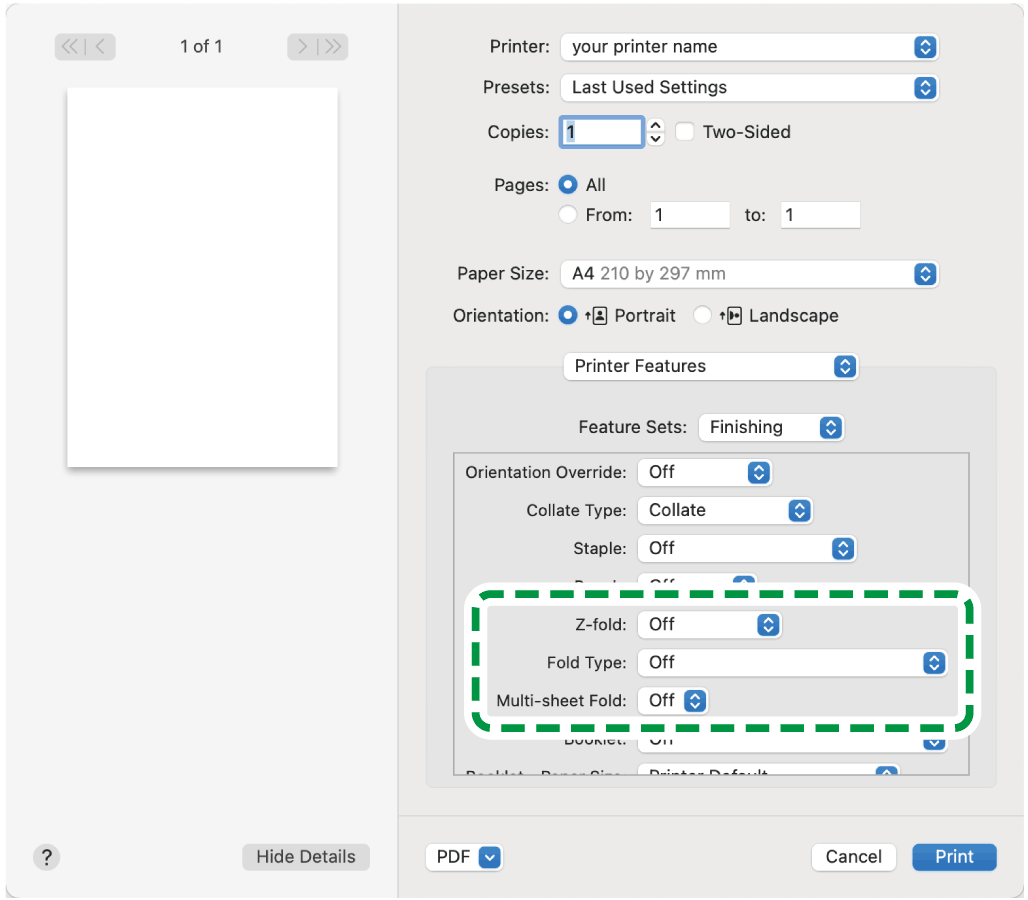
-
When the internal multi-fold unit is installed in the machine, set [Eject Face-up] for [Finishing] in [Feature Sets], according to the side you want to print on.
-
To print on the inside when Letter Fold-in and Multi-sheet Fold are set, set [Reverse] for [Page Order] on the [Paper Handling] menu.
-
-
After completing the configuration, click [Print] to print.