Scanning Facing Pages of a Book Type Original
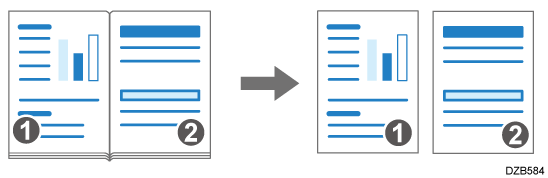
When scanning a book-type original such as a book or catalog on the exposure glass, you can scan the facing pages separately.
-
Press [Scanner] on the Home screen.
-
Place the original on the exposure glass.
Placing an Original to Scan -
Press [Send Settings] on the scanner screen.

-
Press [Original Settings]
 [Others].
-
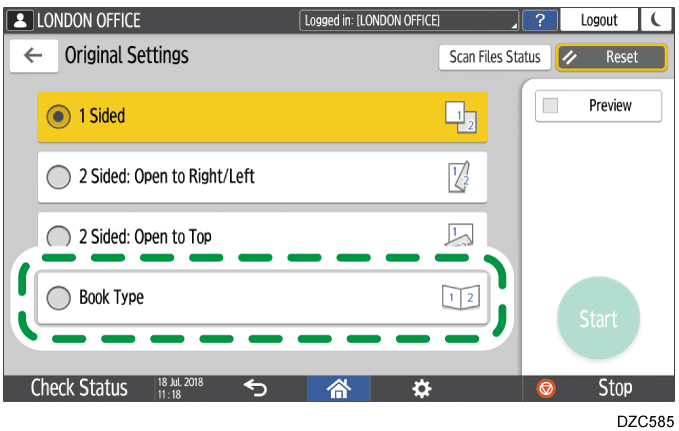
Press [Book Type].
-
Specify the scan settings according to the purpose of the scanned data.
Scanning an Original with Suitable Quality and Density
Specifying the File Type or File Name When Scanning a Document -
To send the scanned document to an e-mail address, press [Sender] and then specify the sender.
When a logged in user is operating the machine, the logged in user becomes the sender.
Scanning Documents and Sending the Scanned Data by E-mail -
Specify the destination on the scanner screen, and press [Start].