Printing on Label Paper from the Bypass Tray
To print on label paper, load it in the bypass tray.
-
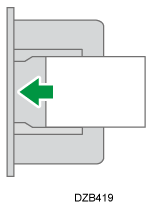
Load the label paper in the bypass tray.
-
Label Paper
Printing surface: face down
-
-
Open a document to print on the computer, and display the setting screen of the printer driver from the print menu in the application.
-
Specify the Document Size, Paper Type, and the Input Tray.
Windows
On the [Basic] tab, configure the following settings:
-
Paper Type: [Labels]
-
Input Tray: [Bypass Tray]
macOS
Configure the following settings:
-
Printer Features
 Feature Sets: [Paper] Paper Type: [Labels]
-
Paper Feed
All Pages From: [Bypass Tray]
-
-
After completing the configuration, execute printing.