Printing on Both Sides of Paper
Specify 2-sided Print in the printer driver.
Specify 2-sided Print on the [Basic] tab.
-
Open a document to print on the computer, and display the setting screen of the printer driver from the print menu in the application.
-
Specify Document Size, Paper Type, Orientation and others.
Basic Procedure for Printing Documents -
In [2 sided:] on the [Basic] tab, specify the binding side of and way to open the paper.
Orientation of the original and opening type
Orientation
Long Edge Bind: Left/Top
Short Edge Bind: Top/Left
Portrait

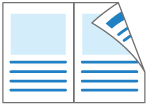

Landscape

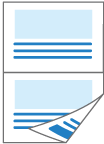

-
After completing the configuration, click [OK] to print.
Specify 2-sided Print on the [Layout] menu.
-
Open a document to print on the computer, and display the setting screen of the printer driver from the print menu in the application.
-
Specify Paper Size, Orientation, Paper Type, and other settings.
Basic Procedure for Printing Documents -
Select the [Two-Sided] check box, and then select [Layout] to specify the binding side and opening type of the paper.
Orientation of the original and opening type
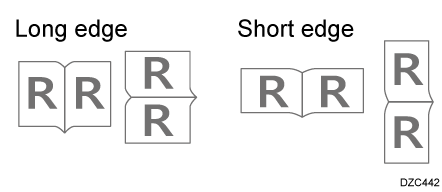
-
After completing the configuration, click [Print] to print.