Web Image Monitor Screen
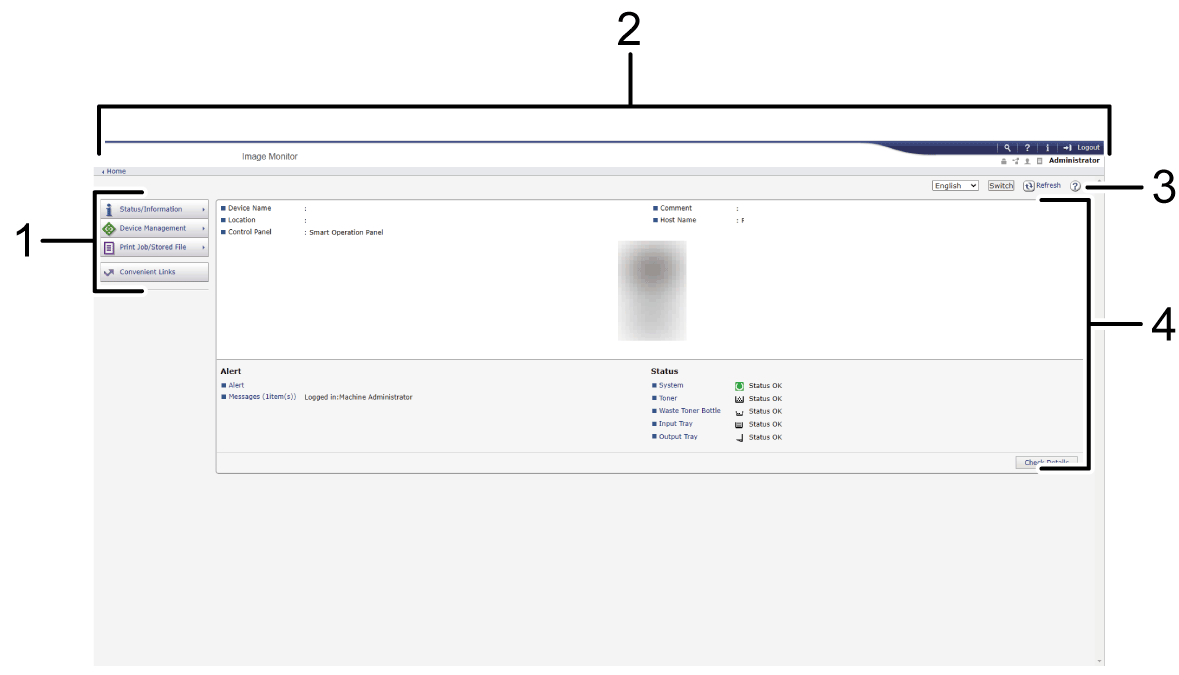
-
Menu
Menu items described below are displayed.-
Status/Information: Displays the machine status, option configuration, counter, and job status.
-
Device Management: Manages the machine settings and Address Book.
-
Print Job/Stored File: Operates the files stored in the printer driver or document server.
-
Convenient Links: Displays the link to the Favorite URL.
-
-
Header
An icon to link to the Login screen is placed at the top right on the screen. The Help, Version Information, and Keyword Search buttons are also displayed. -
Refresh/Help
 (Refresh): Update the information in the work area.
 (Help): View or download Help file contents.
-
Main Area
The machine status and settings are displayed.