Using the Protection Function to Prevent the Misuse of Addresses
To prevent specifying an incorrect folder destination or a sender from spoofing a fax or e-mail, you can protect destinations in the address book. To specify a folder destination or sender in the address book, enter the protection code.
-
Press [Address Book] on the Home screen.
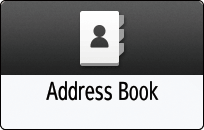
-
Select a destination to protect on the Address Book screen, and then press [Edit].
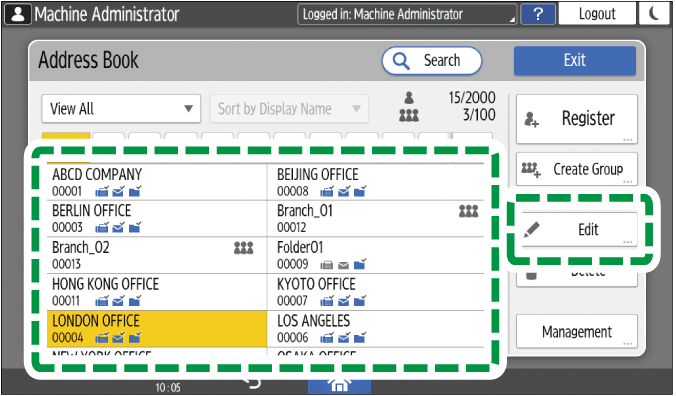
If a group includes a member to whom the folder destination is specified, protection can be set for the group.
-
Press the [User Management / Other] tab
 [Destination Protection].
-
Specify the advanced settings for protection.
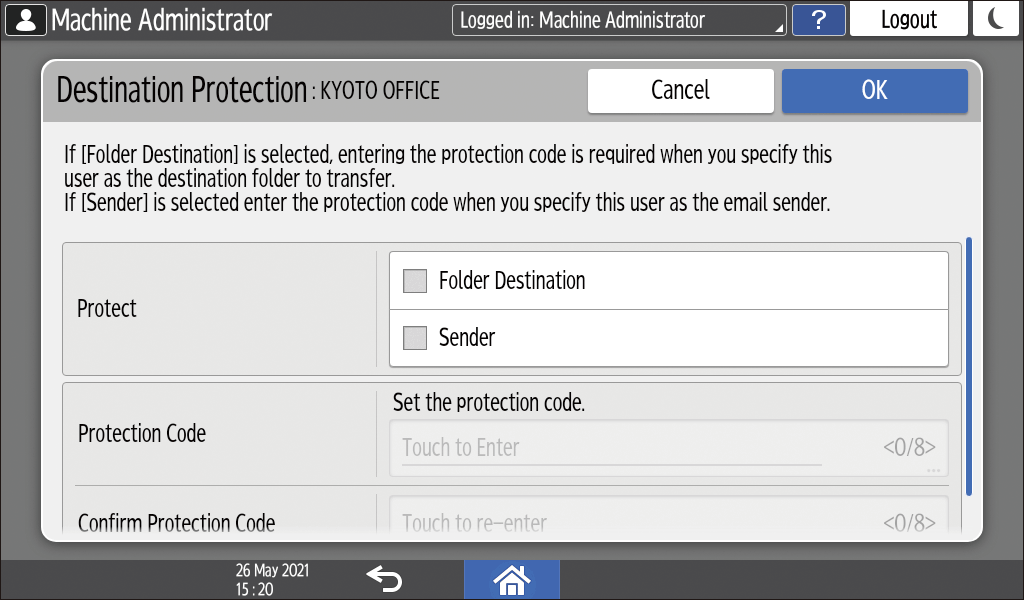
-
Protect: Select the check box of the item to be protected. In case of a group, only [Folder Destination] can be selected.
-
Protection Code: Enter a number of up to 8 digits. When specifying a protected destination as the folder destination or sender, enter this number.
-
-
Press [OK].
-
After completing the procedure, press [Home] (
 ).
-
When a message prompting you to back up the address book appears on the screen, press [Go to Backup] to back up the address book.
-
If a message prompting you to contact the administrator to back up the address book appears on the screen, ask the administrator to back up the address book.
-
If you select [Close], you can close the address book without backing up and go back to the Home screen.
-

-
When you register new addresses on the address book, you can also set the protection.
Registering/Changing/Deleting Fax Numbers in the Address Book
Registering/Changing/Deleting E-mail Addresses in the Address Book
Registering the Destination Folder to Use for Send to Folder
Registering/Changing/Deleting IP-Fax Destinations in the Address Book
Registering/Changing/Deleting Groups in the Address Book