Changing the Keyboard Type and Settings
To enter characters, use the keyboard displayed on the screen.
-
You can enter letters, numbers, and symbols from the Screen keyboard.
-
You can use this keyboard just like a full keyboard (QWERTY keyboard) on a computer.
-
Press [System Settings]
 [Display/Input] [Key/Keyboard/Input Assistance] [Keyboard & Input Methods] [Switchable Keyboard Settings] [Control Panel Keyboard] [Advanced Settings] to change the keyboard type, the time keys are pressed down, and other settings.
Display/Input
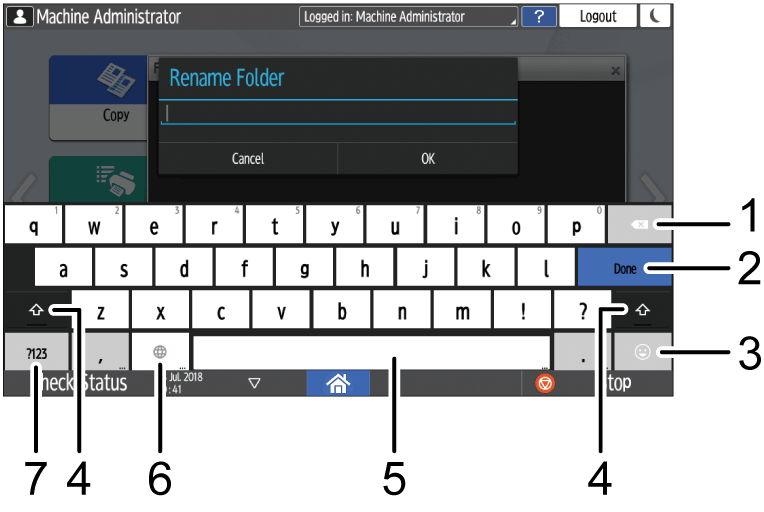
|
Number |
Icon |
Function |
|---|---|---|
|
1 |
|
Press to delete the character to the left of the cursor. |
|
2 |
|
Press to confirm the entered characters. |
|
3 |
|
Press to enter emoticons. When you are using the browser, [.com] is displayed. |
|
4 |
|
Press to switch between uppercase and lowercase. Double-tap to set caps lock. |
|
5 |
|
Press to enter a space. Press and hold to switch the language on the keyboard. |
|
6 |
|
Press to switch between the keyboards for different languages. This icon appears when two or more languages are selected for use in the keyboard.
|
|
7 |
|
Press to enter a number or symbol. |


To enter characters in a language different from the one that is currently displayed on the screen, switch the keyboard language.
Specify the selectable languages in advance.
-
On the Home screen, press [Settings].
-
Press [System Settings].

-
Press [Display/Input]
[Key/Keyboard/Input Assistance] [Keyboard & Input Methods] [Switchable Keyboard Settings] [Control Panel Keyboard] [Language].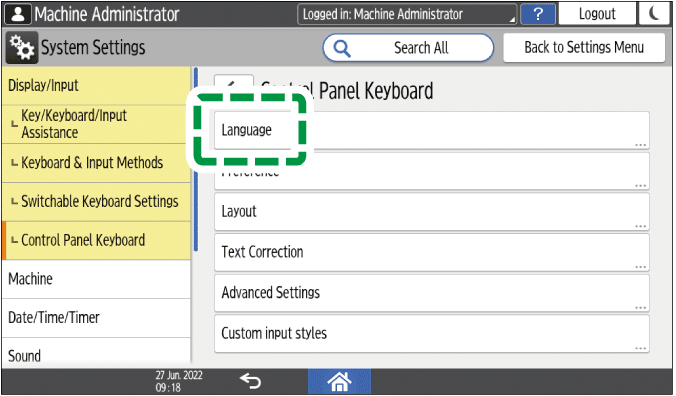
-
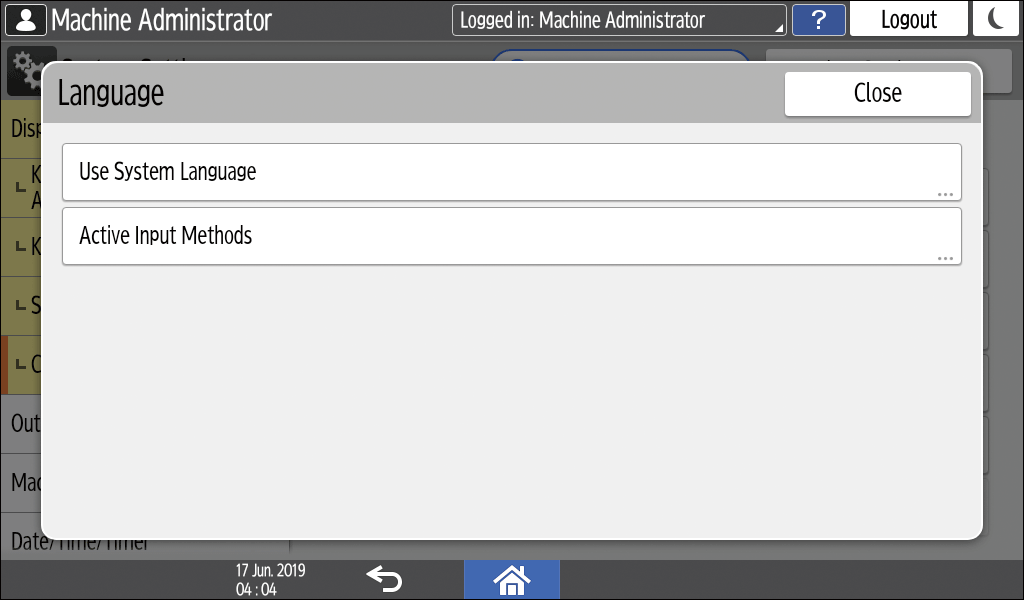
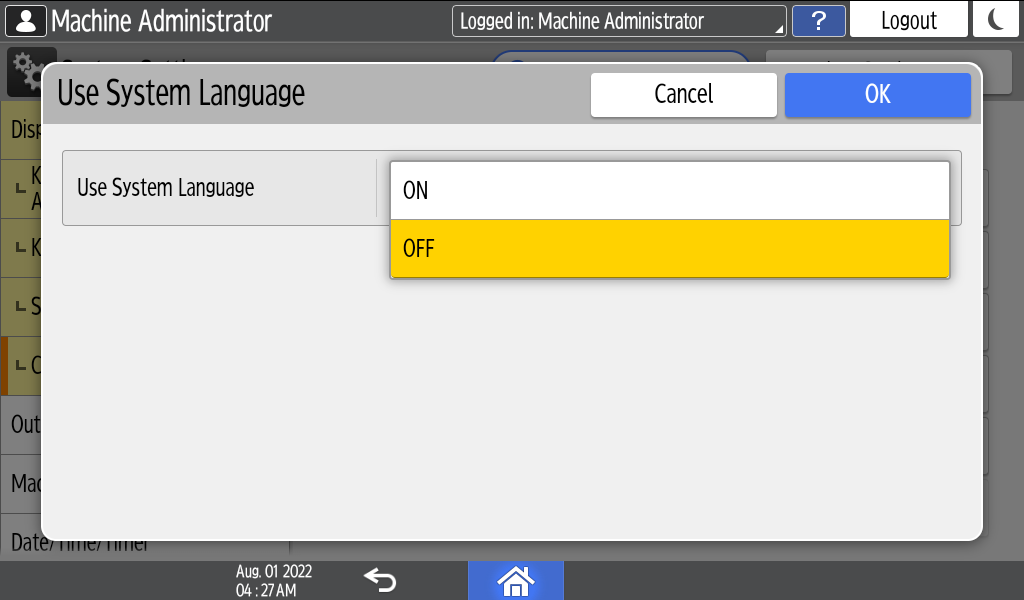
Press [Use System Language].
-
Set [Use System Language] to off, and then press [OK].
-
Press [Active Input Methods].
-
Press the button to the right of Active Input Methods to select the language to use, and then press [OK]
[OK].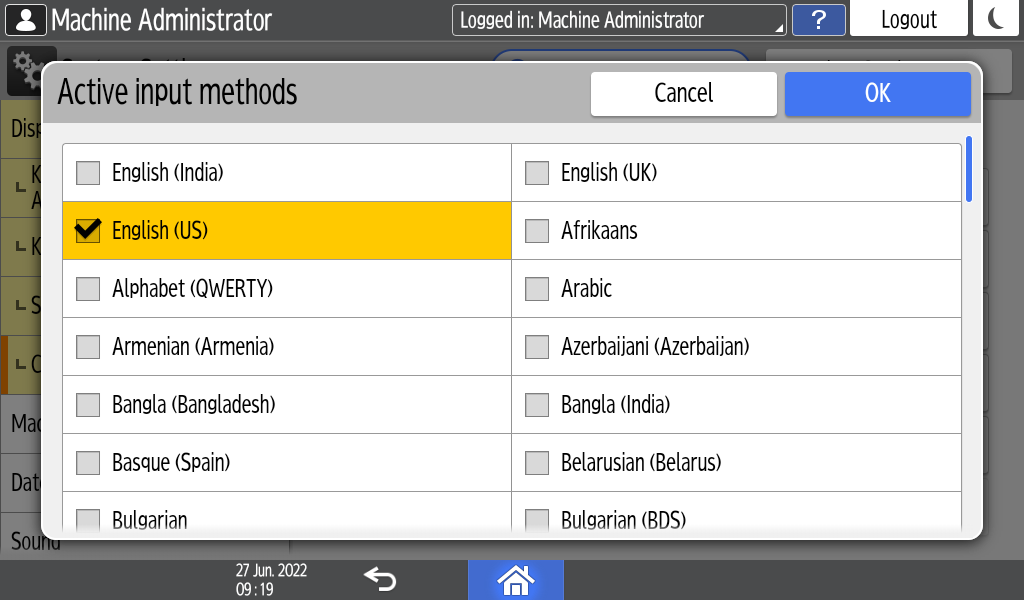
You can select two or more languages. -
After completing the configuration, press [Home] (
 ).
The system is ready to switch the keyboard language. Proceed to switch the keyboard language on the screen. -
Press one of the items to enter characters: the address book, the folder name input screen, or another function.
-
Press and hold
 until the "Choose input method" screen appears.
-
Select the language to use.
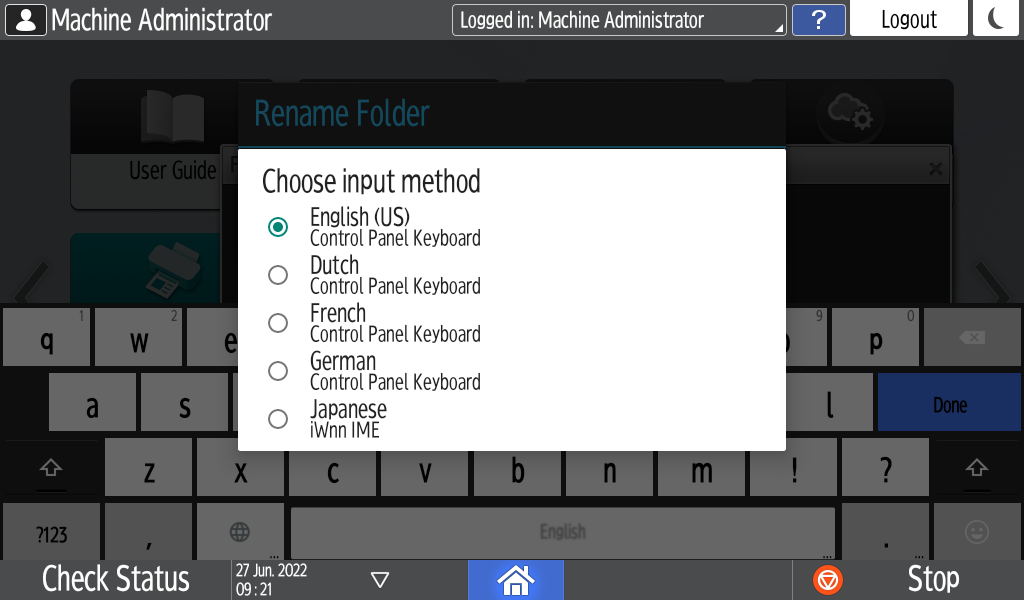
-
After completing the configuration, press [Home] (
).