Sending a Fax While Scanning the Original
When using Immediate Transmission, the machine first establishes a connection to the destination and then sends a fax while scanning the original. You can check if the transmission is executed properly on the screen.

-
It is recommended that you call the receivers and confirm with them when sending important documents.
-
Press [Fax] on the Home screen.
-
Select [Fax] on the fax screen.

-
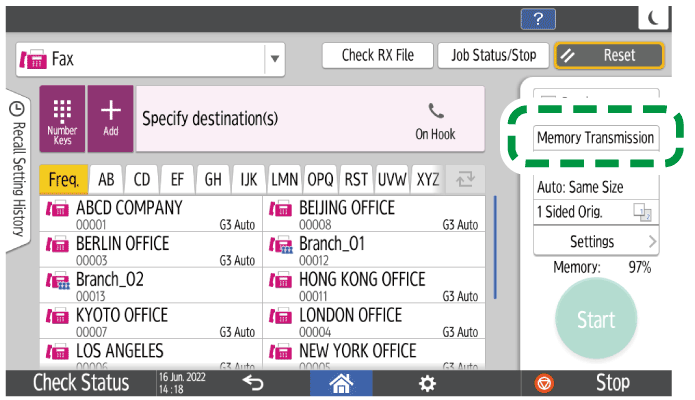
Press the button for setting the sending method, and then select [Immed. Transmission].
-
Configure the scan settings.
Sending a Fax at the Image Quality Suitable for the Original -
Place the original in the ADF or on the exposure glass.
Setting an Original to Send by Fax on the Scanner -
Specify the destination, and press [Start].
You can select only one fax destination or IP-Fax destination.
When a connection to the destination cannot be established, select whether to cancel transmission, or switch to Memory Transmission.
When immediate transmission is selected and a fax transmission is complete, the message "Transmission was finished." is displayed.When Fax Transmission Ended Sound is enabled, a sound is produced.
See "Configuring the Type and Volume of the Sound Emitted When Using Fax", User Guide in English.