
Displaying and Quitting the Extended Feature Settings on the Control Panel

If Administrator Authentication Management is specified, log in to the machine from the control panel. For details, see User Guide of your device.
 Press [Home] (
 ) at the bottom of the screen in the center.
 Flick the screen to the left, and then press the [Settings] icon.

 Press [Machine Features Settings].
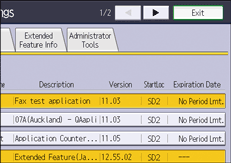
 Press [Extended Feature Settings] twice.
 Confirm or change the settings, and then press [Exit].
 Press [Home] () at the bottom of the screen in the center.