Unauthorized Copy Prevention

Unauthorized Copy Prevention may not prevent information leakage in all cases.
Select [Unauthorized Copy Prevention] in the printer options menu to change the printer specific settings.
Select the prevention effect you want to use from the [Prevention Type:] list.
Unauthorized Copy Prevention for Pattern
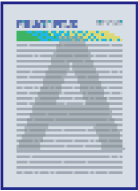
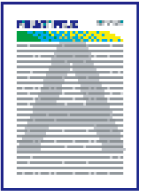
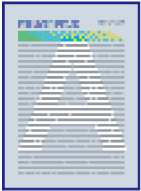
Use this function to embed a text and background pattern in confidential documents. If an unauthorized copy of the document is produced, the background pattern and text will be clearly visible. This function allows you to identify unauthorized copies easily.Data Security for Copying
If an original with an embedded copy guard pattern is copied, scanned, and/or stored in a machine, the image of the page to be printed is destroyed, and the color of the document is turned completely gray.

The pattern printed on documents that are copied, scanned, or saved in the Document Server may vary depending on the settings and model of your machine.
The [Color/Density] and [Pattern] settings are not required to use Data Security for Copying.
To use the Data Security for Copying function, see User Guide of your device.
When copying a printed document with Unauthorized Copy Prevention for Pattern applied, the copy may have partial shading. Change the original type setting to [Text] or [Photo].
When the Unauthorized Copy Prevention setting is enabled on the machine, you can print patterns and text to prevent unauthorized copies from being made on every document printed. You can configure Unauthorized Copy Prevention using Web Image Monitor or the control panel of this machine. For details about how to specify Unauthorized Copy Prevention using Web Image Monitor, see Web Image Monitor Help. For details about how to specify Unauthorized Copy Prevention on the control panel, see User Guide of your device.
Text Type:
Select the text type for the prevention text in the list.
Default: [User Text]
Enter User Text:
If you select [User Text] in [Text Type:], enter user text using up to 64 single-byte characters. If you select a Latin font for [Font:], enter single-byte alphanumeric characters.
Default: [COPY]
Font:
Select a font style for the prevention text.
Optional unit is required to specify [Adobe PostScript]. For details about how to specify [Adobe PostScript], see User Guide of your device.
Default:
When [Emulated PostScript] is selected:
[NimbusSans-Bold]When [Adobe PostScript] is selected:
[ArialMT]
Size:
Specify a value to adjust the size of the prevention text.
A small font may not be appropriate as a prevention copy pattern.
A font size of 50 points or larger is effective. We recommend you select a font size of 70 to 80 points.
Default: [70]
Angle:
Specify a value in this spin box to rotate the prevention text about its central point.
An angle of 30 to 40 degrees is appropriate as a prevention copy pattern. We recommend you use this angle.
Default: [30]
Text/Pattern Effects:
Select the type of effects applied to copies or prints.
Unauthorized Copy Prevention for Pattern:
Pattern Effects:
Pattern Effects:
Copy
Text and Background
Reverse Patterns (Text/Background)
Background Only
Text Only
Default: [Text and Background]
Data Security for Copying:
Pattern Effects:
Pattern Effects:
Copy
(Not Specifying Data Security for Copying)
Pattern Effects:
Copy
(Specifying Data Security for Copying)
Text and Background
Background Only
Default: [Text and Background]

Repeat:
Print the prevention text string repeatedly from the top left of the page.
[Position:] is not available.
Default: [Off]
Line Space:
Specify the line spacing. You can specify this setting when the [Repeat:] setting is enabled.
Default: [70]
Position:
Select a position to enter the prevention text in the list.
You can specify this setting when the [Repeat:] setting is disabled and the value of the [Angle:] setting is 0.
Default: [Center]
Color: (Color Printer only)
This is for the color printers only. Select the color that the background text and pattern will print in.
Default: [Black]
Density:
Select the density of the prevention copy text/pattern.
Default: [Medium]
Mask Type:
Select the mask type for the background pattern.
Default: [None]
Type 1

Type 2

Type 3

Type 4

Type 5

Type 6

Type 7

Type 8

Type 9

Type 10
