




 Previous
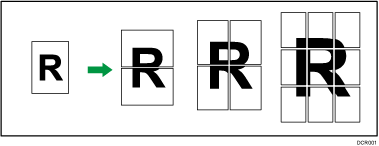
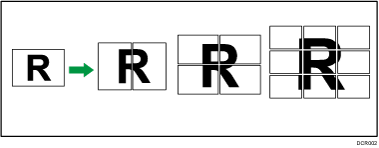
This function allows you to divide an original, enlarge its parts, and then print them on multiple sheets of paper, which you can align to create a copy as large as a poster. The divided images are printed with an overlap of 15 mm (0.59 inches) on the margin of each sheet, so you can paste them seamlessly.

You cannot use the ADF with this function.
You cannot use the bypass tray with this function.
The Duplex function cannot be used with this function. If [1 sided
 2 sided:TtoT] is selected, cancel the setting.
The Auto Color Select function cannot be used with this function.
There are three types of Poster.
1 page into 2 sheets
Enlarges a 1-page original into two sheets of paper.
1 page into 4 sheets
Enlarges a 1-page original into four sheets of paper.
1 page into 9 sheets
Enlarges a 1-page original into nine sheets of paper.
Portrait
Landscape
 When Using the Copy Application
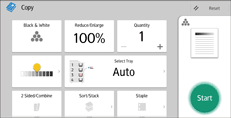
About how to use the application's screen, see "[Copy] Screen".
 When Using the Copier (Classic) Application
For details about how to use the Classic Copier function, see Procedure for Poster (classic).


