




Returning to the Previous Setting
 PreviousNext
 Press the [User Tools] key.
 Press [Maintenance].
 Press [Auto Color Calibration].
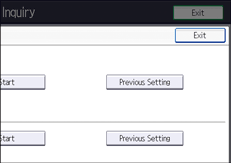
 Press [Previous Setting].
When returning the auto color calibration of the copy function, press [Previous Setting] in "Copier Function". If returning the auto color calibration of the printer function, press [Previous Setting] in "Printer Function".
 Press [Yes].
When performing auto color calibration using the printer function
Select test patterns from [Test Pattern 1 (600
 600 dpi)], [Test Pattern 2 (1800 600 dpi)], [Test Pattern 3 (9000 600 dpi)], [Test Pattern 4 (1200 1200 dpi)], or [Test Pattern 5 (3600 1200 dpi)] and then press [Yes].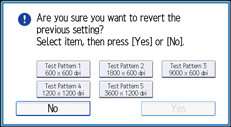

Auto color calibration cannot be executed while the message “Internal cooling fan is active.” is displayed. Perform auto color calibration after the message disappears.


