




 Previous
You can back up custom paper profiles saved in the Library Archive to the SD card inserted in the back of the machine.
The backup can be used to restore the custom paper profiles if the controller board has to be replaced.
To prevent data loss, we recommend making regular backups. Only the customer engineer is allowed to perform data restoration using a backup. Contact your service representative.
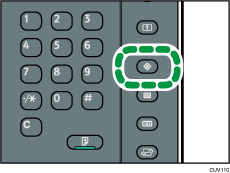
 Press the [User Tools] key.
 Press [Adjustment Settings for Operators].
 Press [Machine: Maintenance].
 Press [Back Up / Restore Custom Paper Data].
 Press [Back Up Library Archive].
 Press [OK].
 Press [Exit].

If a previously created backup file is on the SD card, it is overwritten by the back-up.


