




 Previous
This section describes how to quit the settings of User Tools.
 Close the initial settings screen.
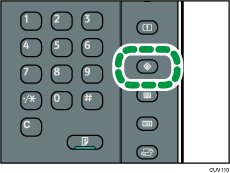
When using the standard operation panel
Press the [User Tools] key.
When configuring Screen Features with the Smart Operation Panel
Press [Home] (
 ) at the bottom of the screen in the center.
When configuring Machine Features, Counter, Inquiry, Address Book Management, or Tray Paper Settings with the Smart Operation Panel
Press [User Tools] (
 ) on the top right of the screen.
Press [Home] (
) at the bottom of the screen in the center.

When using the standard operation panel, you can also quit User Tools by pressing [Exit].
When configuring Machine Features, Counter, Inquiry, Address Book Management, or Tray Paper Settings with the Smart Operation Panel, you can also quit User Tools by pressing [Exit] or [Close] on the top right of the screen and [Home] (
) at the bottom of the screen in the center.


