Previous
Clean the filter that is attached to the exterior panel on the back side of the two-tray wide LCT when the filter becomes clogged by paper dust. The procedure is as follows:
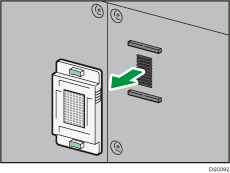
 Remove the filter.
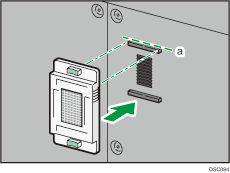
The filter cover is magnetically attached to the external panel.
Hold the grips on both sides of the cover, and then remove the cover from the panel.
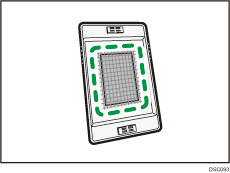
 Use a vacuum cleaner to clean the paper dust from the inner side of the cover.
 After the filter has been cleaned, align the cover with the upper part of the sponge (dotted line “a”) on the exterior panel, and attach the cover to the exterior panel.