




 Previous
If you load a paper size that is not selected automatically, specify the paper size using the control panel.
 Press the [Paper Setting] key.
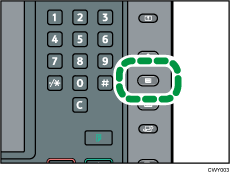
 Select the tray for which you want to change the paper size.
 Press [Manual Paper Settings].
 Press [Paper Size] tab.
 Select the loaded paper size, and then press [OK].
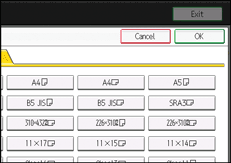
 Press the [Paper Setting] key.

If the LCT is installed, the [Paper Size] tab will not appear in the menus for Trays 4–6.
For details about paper sizes selected automatically, see Recommended Paper Sizes and Types.
If you want to print on paper that is selected automatically after printing on a paper size that is not selected automatically, you must return the setting to [Auto Detect]. Reload the paper, and select [Auto Detect] in step 5.


