




 Previous
The preset jobs appear as shown below.
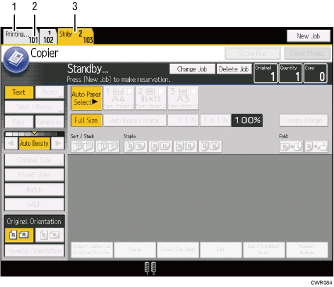
Job being printed
Press [Printing] to return to the copying screen.
Job number
The jobs are registered as job numbers that are displayed on the job list screen.
Waiting job
Reserved jobs are displayed.

When more than ten jobs are set up including jobs for other functions, scroll keys appear.


